SharePoint, Teams, and Cloud

Who is at your conference
Azure Who is at your conference

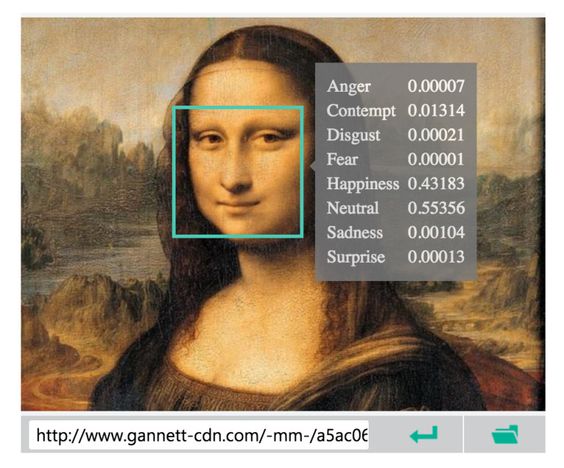
While researching my presentation on the Azure Container Service I came up with the idea to see what people where tweeting about the conference I was going to attend. Now for this I don’t even need to write code. The app in my phone can do this. But what other data is available from the Twitter API and to take it even further. Why not let the Microsoft Cognitive Services examine people’s profile, background and tweeted pictures. Just to show how many data is available about somebody and that we can monitor the data the conference generates. These series of blog posts will explain how I got things working and how this code will evolve over time when visiting more conferences and adding new ideas. The approach I’ve been taking is to use a Micro-Service architecture. So every app runs in a container and is responsible for only one job. This will ensure that every part of the system can be scaled and monitored separately.There is still a lot of work to be done but its now a working example. I will need to improve for example my dockerfiles because at the moment my images seem to be rather big for the little work they do. I also would love to include some tests and health checks. And maybe even change the code to typescript. disclaimer: This code is still a work in progress so if you want to help out or just improve my bad coding style the check out the projects on github. - TwitStreamReader: This will read a certain value from the Twitter API. This can be a hashtag or a user for example. Then it will drop everything received in an Azure Storage table and place an item in a queue for further processing. - DataExtracter: The data returned from the Twitter API is a huge JSON object. The task of this app is to read the JSON and update the row in the table with the json converted to different columns and there values. After this is done it will add an item to another queue so that the next app will know which items are processed. - PictureTranslater: This is will read items from a queue and then starts to call the Microsoft Cognitive Services API with the URL of the profile image of the user it’s processing. The values returned will then be added to the row in the table. For every part of service there is also a docker container available from the docker hub.

Read Who is at your conference

One Crazy Conference week
Events One Crazy Conference week

My slides and experiences from DEVintersection, European SharePoint Conference and unityConnect

Last week I got the chance to present 5 sessions in 4 days in 3 different conferences. You can find the slides of each presentation of a conference at the bottom of this post.

Read One Crazy Conference week
My Slides From SharePoint Saturday Oslo
Events My Slides From SharePoint Saturday Oslo

Here you can find my slides from SharePoint Saturday Oslo. It was my first time in Oslo but from what I heard it wasn’t the first time that the people from Norway organized such a great SharePoint Saturday. You can also find some pic’s from the day. Many thanks to all the people involved for having me and for making it such a super SharePoint Saturday.

Read My Slides From SharePoint …
Make DCOS and Marathon publicly available in the Azure Container Service
Azure Make DCOS and Marathon publicly available in the Azure Container Service

Azure Container Service

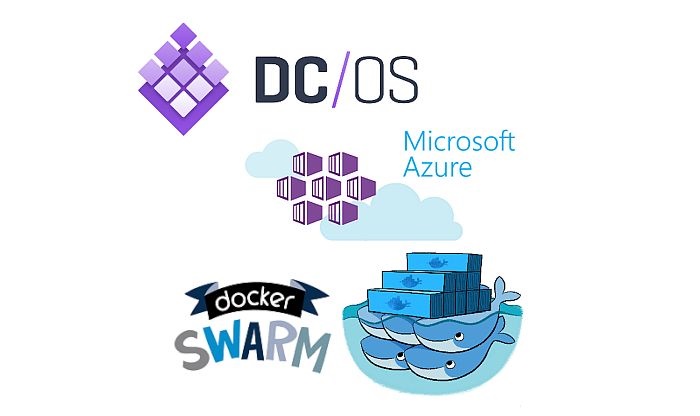
When researching my session on the Azure Container Service I noticed that to get to the DCOS and marathon UI is quite a hassle. You must connect to your ACS thru an SSH tunnel. This means that when doing this, your localhost url is now connected to the Azure Container Service. This is not easy if you want to use it on your local machine for lets say development or just to run containers on you dev box. If you want to know more about the Azure Container Service, how to set it up or how to play with it just follow this link to the overview. Or simple take a free trail in Azure and start playing with it.

Read Make DCOS and Marathon …
Presenting at Unity connect haarlem
Events Presenting at Unity connect haarlem

This year I will be presenting a session at unityConnect in Haarlem in the Netherlands. This will take place from 16 – 18 November 2016. It’s about extending Office add-ins with the Azure Container Service. I am certain that this will turn out to be a great conference. Just looking at the speaker line up and the content of the sessions presented there. I have presented this session a few times already but with things changing so fast I’m in a constant race to keep my slides and demo’s updated. I’ve even shifted the focus of the presentation a little bit. Where it was more focused on Office Add-ins, its now more focused on Office 365. I feel the presentation is now going in a more practical direction and the demo’s are much cooler to watch. If you want to come to unityConnect then you’re free to use my discount code. If you still need to convince your boss to have the chance to visit then you can find some really helpful tips on there site.

Read Presenting at Unity connect …

Rick Van Rousselt

Photo of Rick Van Rousselt

Hi there,

I’m Rick and I am a Microsoft 365 consultant living in Belgium. I’ve been working with SharePoint since 2007 and recently I’ve made the transition to Office 365. My main focus is development but as you all know… working with SharePoint requires you to know a little bit from everything. I have started my own company called Rivaro Consultancy in 2014. This allowed me to shift my focus to Office 365. This pushed me to become a versatile expert in both SharePoint, Office 365 and all related technologies. My inquisitive disposition encourages me to continuously gain knowledge and share insights with everyone that shares the same interests. I’m currently working at Advantive where I am responsible for promoting the use of Office 365, SharePoint and Azure. This allows me to do talks all over the world which I love to do.

Know More

Social

Microsoft MVP Logo
BIWUG Belgian Information Worker User Group logo
Advantive logo
Pro Teams Development book cover